
Training load, from CSV to insight.
Import your athletes' TrainingPeaks data and get a real coaching dashboard back — fitness, fatigue, form, wellness trends and ready-to-send reports, without building a single spreadsheet.

Every session, understood
Click into any workout for execution scoring, aerobic decoupling, recovery signals and what to watch for next.

One click, a full report
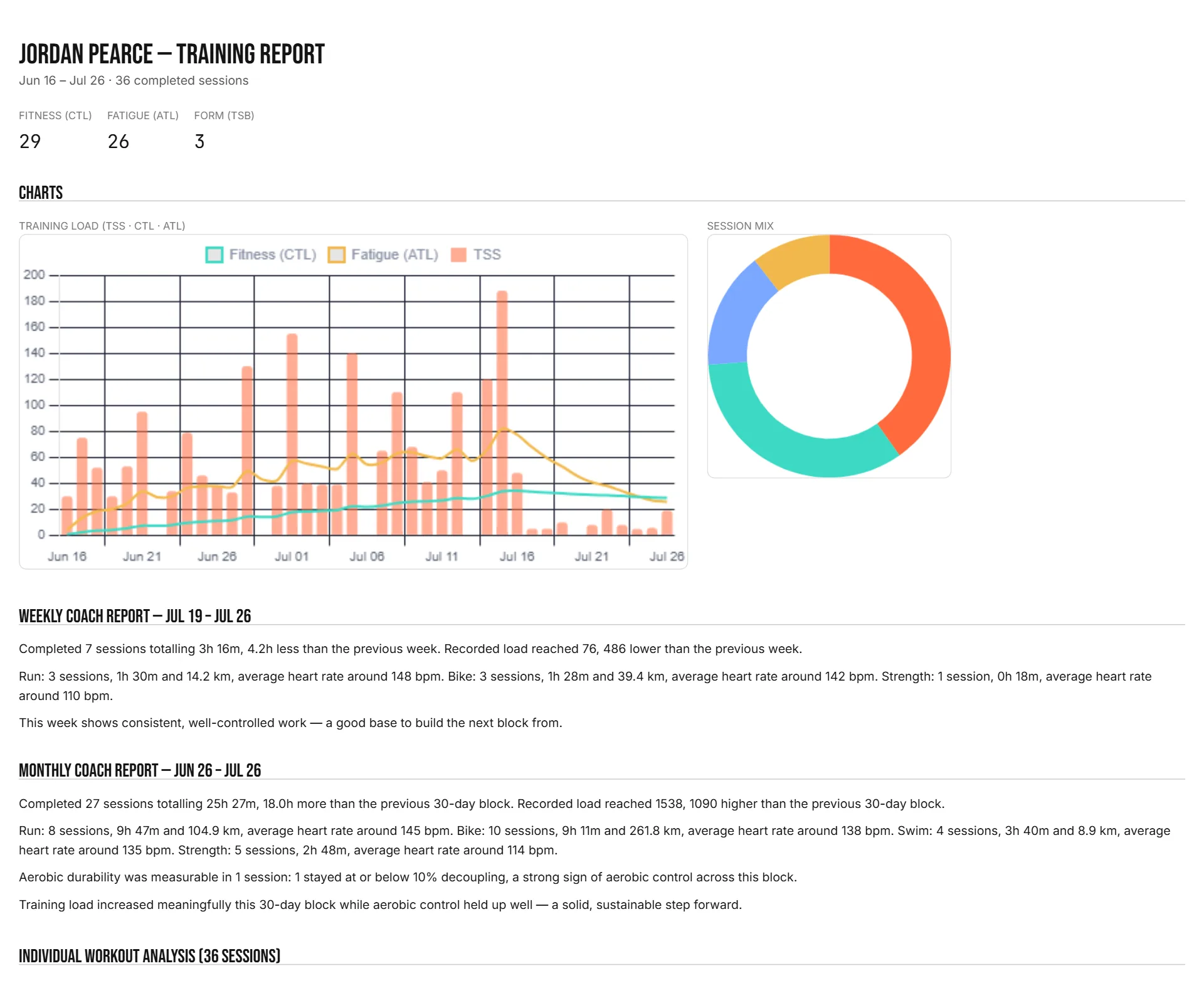
A clean, printable report per athlete — charts, coach commentary and a full session-by-session breakdown.
Training load, at a glance
Fitness (CTL), Fatigue (ATL) and Form (TSB) computed automatically from every import, plus a full training-zone and session-mix breakdown for any date range.
Reports written for you
Weekly and monthly coach reports in plain language — completed sessions, load trends, and what to watch for — ready to read or send on, no spreadsheet required.
Wellness trends
HRV, resting pulse, sleep and Body Battery, charted alongside training load when an athlete’s wearable data comes through TrainingPeaks.
Recovery & decoupling insight
Drop in the device files and TriLoad flags aerobic drift and recovery patterns per session — signals that are easy to miss reading raw numbers.
Print or email a report
One click makes a clean PDF report for any athlete, or emails it straight to them — their address is remembered for next time.
Reports that send themselves
Turn on auto-reports per athlete and TriLoad emails a weekly and monthly PDF the moment new data comes in — no reminder needed, and you can still print or email a custom-range report yourself anytime.
One import, every athlete
Drag in exports for your whole squad at once — TriLoad sorts them by athlete automatically, device files and wellness data included.
How it works
Export from TrainingPeaks
Grab the Workouts export for an athlete (device files and Custom Metrics are optional extras).
Drop it into TriLoad
Drag the file onto the dashboard — one athlete or your whole squad at once.
Coach with the full picture
Read the dashboard, print or email a report, and repeat next week.